
Why Does Everyone Aim to Upload an App to Google Play? The answer comes down to trust and reach. Android holds the largest share of the global smartphone market, and Google Play is the primary and most trusted source for users to download apps safely.
When you succeed in uploading an app to Google Play, you essentially earn a seal of credibility from Google itself, which significantly strengthens your brand’s reputation.
Beyond that, the platform offers powerful analytics tools that help you understand user behavior, continuously improve your app, and generate revenue through ads or in-app purchases. However, this is a critical step that requires accuracy and patience, since early mistakes can lead to app rejection or even account suspension.
Google Play Requirements: What You Need Before Getting Started
Before you even think about hitting the upload button, there are essential Google Play requirements you must prepare. Publishing an app is not just about uploading a file, it involves setting up a complete technical and legal environment:
- Developer Account (Google Play Console): You need a developer account, which costs a one-time fee of $25 for lifetime access.
- Final App File: Your app must be in AAB (Android App Bundle) format, as Google now requires it for better performance and smaller download sizes.
- Privacy Policy: A mandatory requirement. You must provide a link to a webpage explaining how user data is handled.
- Visual Assets: This includes a high-quality app icon, multiple screenshots, and a feature graphic.
- Legal Compliance: Ensure your app does not violate intellectual property rights or Google’s strict content policies.
Preparing Your App for Publishing
Uploading an app to Google Play starts from within your app itself. Proper preparation helps you avoid technical rejection:
- App Signing: Your app must be signed using a digital key (Keystore). This key is your identity, and losing it means you will never be able to update your app again.
- Version Code and Name: Each release must have a unique version code and version name.
- Testing: Before uploading, use tools like Firebase Test Lab to ensure your app works across different devices and Android versions.
- Size Optimization: Google favors lightweight apps. Compress images and optimize code to reduce your AAB file size, improving download rates for users with slower internet connections.
Using Google Play Console to Upload Your App
Once inside the developer dashboard, you begin the actual process of uploading an app to Google Play. The process is divided into structured tasks:
- Create a New App: Choose your app name, default language, category (app or game), and whether it is free or paid.
- App Setup: Answer questions about your app’s content, such as ads, target audience, and access to sensitive data.
- Upload the File: Go to the Releases section and upload your AAB file. Google will automatically scan it for security and technical issues.
- Select Countries: Decide whether to publish globally or target specific regions, which is useful for local service-based apps.
Best Practices for App Approval
Google does not approve just any app. It prioritizes quality and value. To ensure your success when uploading an app to Google Play, follow these best practices:
- Clear Description: Write an accurate and honest description that explains exactly what your app does. Avoid misleading claims.
- Content Rating Accuracy: Be honest when filling out the IARC questionnaire. Misrepresentation can lead to immediate removal.
- User Experience (UX): Make sure your app runs smoothly without crashes. Google tests apps on real devices before approval.
- Accessibility Compliance: Ensure your app is usable for people with disabilities. This improves your evaluation and increases approval chances.
How to Add App Details Correctly: App Store Optimization (ASO)
Just like websites rely on SEO, apps depend on ASO (App Store Optimization). When uploading an app to Google Play, the details you provide determine how users discover your app:
- Title: It should include your main keyword, for example: “Badr Sales – Inventory Management”.
- Short Description: This is the first text users see, so it must be engaging and encourage downloads.
- Keywords: Google Play does not offer a dedicated keyword field like Apple, but it extracts keywords from your long description, so use your target terms naturally throughout the content.
- Images and Videos: Visuals matter. Upload real screenshots of your app interface, and include a short promo video to showcase it in action. This can significantly boost your conversion rate.
Tracking Your App After Publishing
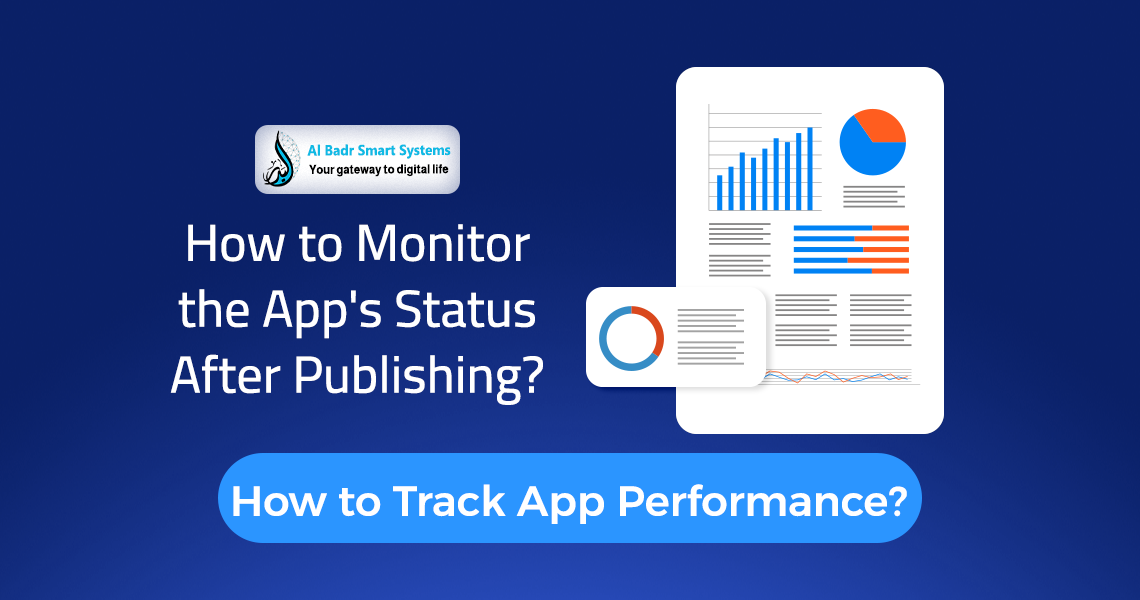
After submitting your app for review, the process of uploading an app to Google Play may take anywhere from a few hours up to 7 business days. During this time, monitor your app status in the dashboard:
- Under Review: Your app is being checked by Google’s team or automated systems.
- Rejected: Do not worry. Google will send detailed feedback explaining the issue. Fix it and resubmit.
- Published: Congratulations. Your app is now live.
After publishing, start tracking Vitals, which include metrics like battery usage, response time, and crash rates. Poor technical performance can lower your app’s ranking in search results.
Tools That Simplify App Publishing
There are several tools that make the process of uploading an app to Google Play much easier:
- Android Studio: The official tool for building, signing, and testing your app before publishing.
- App Store Screenshot Generators: Platforms that help you create professional store visuals with the correct dimensions.
- Google Search Console: Connect your website to your app to verify ownership and support faster approval.
- Firebase: Monitor crashes and analyze user behavior in real time after launching your app.
FAQ About Uploading an App to Google Play
Can I upload an app to Google Play for free?
No. You need to pay a one-time fee of $25 to create a developer account. After that, you can publish unlimited apps without additional charges.
Why does app review take a long time?
New apps go through detailed manual and automated reviews to ensure compliance with Google Play requirements. New developer accounts often take longer, sometimes up to 7 days.
What should I do if my app is rejected privacy policy؟
You must create a clear privacy policy page explaining what data your app collects, add the link in the developer console, and then resubmit your app.
Can I change the app name after publishing?
Yes, you can update the name, images, and description at any time. However, avoid frequent changes to maintain strong ASO performance.
Badr Smart Systems: Your Technical Partner for App Development and Publishing
At Badr Smart Systems, we go beyond development. We guide you through the entire app journey. We understand that uploading an app to Google Play is a technical process that requires deep knowledge of constantly evolving policies.
- Full Development Solutions: We build Android apps that meet the latest Google Play requirements from day one.
- Developer Account Management: We help you set up your account, sign your app, and overcome review challenges.
- ASO Optimization: Our marketing team crafts optimized app content and selects keywords to improve your visibility.
- Ongoing Support: We stay with you after launch, handling updates, fixing issues, and maintaining peak performance.
With Badr Smart Systems, your idea becomes a global app with ease and professionalism.
Your Success Journey Starts with Publishing
In the end, uploading an app to Google Play is the final milestone of a long journey of planning and development. Success requires patience and full compliance with Google’s standards.
Remember, the store is a dynamic environment. You need to continuously update your app, respond to user feedback, and improve performance.
By following the steps in this guide, you will be able to overcome challenges and bring your app to millions of users worldwide, starting a new digital success story that matches your ambitions.
