
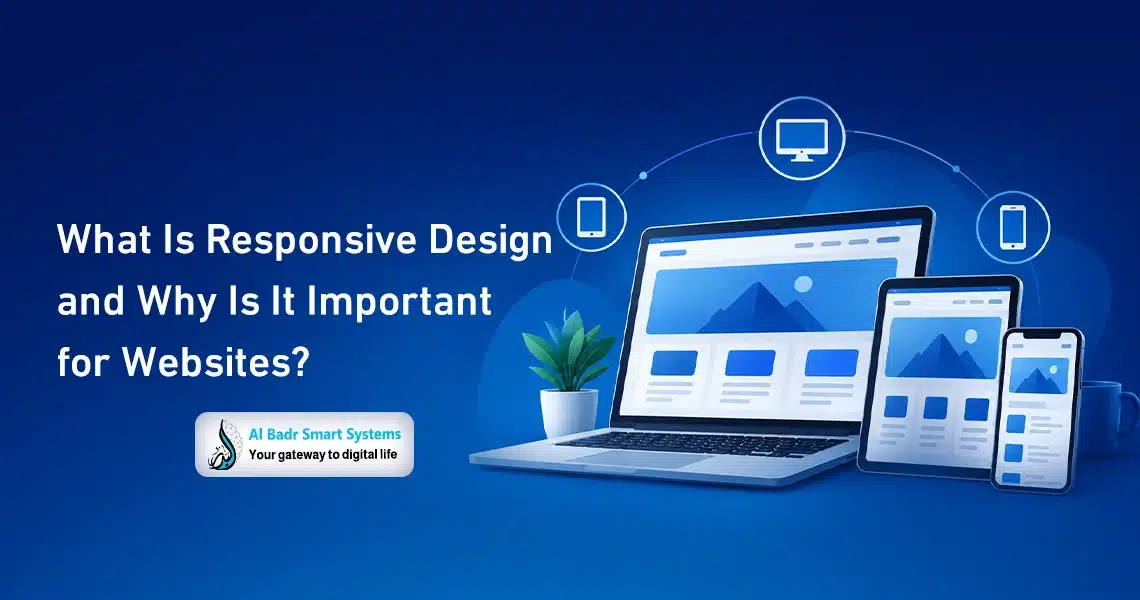
Have you ever wondered how a website looks just as stunning on your mobile phone as it does on a desktop computer? The secret lies in Responsive Design. In today’s digital landscape, designing a website for just one device is no longer acceptable.
Every day, mobile device usage surges, with users demanding fast, seamless experiences. Responsive Design ensures your website adapts brilliantly to any device, as we will explore in this comprehensive article.
What Is Responsive Design? Definition and Core Purpose
Simply put, Responsive Design is an approach to web design and development that allows digital platforms to dynamically adapt to all screen sizes and display devices. Whether you are browsing a website on a smartphone, tablet, or desktop computer, a responsive site guarantees a smooth, comfortable user experience.
The ultimate goal of Responsive Design is to display web content in a harmonious, visually appealing, and functional layout regardless of screen dimensions.
This means users never have to manually zoom in or horizontally scroll to read text or view media. Everything renders at an optimal size tailored to the active device. Through Responsive Design, websites gain structural flexibility and heightened adaptability to user needs, directly elevating user experience (UX) and driving platform effectiveness.
How Does Responsive Design Work?
The inner workings of Responsive Design rely heavily on fundamental front-end web technologies such as HTML and CSS. Developers set specific style rules and breakpoints that automatically trigger visual layout changes based on viewport width. Rather than building a static layout fixed to a single resolution, code structures incorporate fluid grid systems that re-align content dynamically.
For instance, when a user accesses a website on a smartphone, the primary navigation menu may collapse into a compact dropdown menu. On a wide desktop display, that same menu expands into a full horizontal bar.
This seamless transition depends on flexible layout arrangements and media queries. Furthermore, visual assets and media files are optimized to become fully responsive, scaling down image dimensions or adjusting media aspect ratios without sacrificing visual resolution or loading performance.
The Importance of Responsive Design for Modern Websites
Responsive Design has become an indispensable requirement for any successful modern website. Given the massive reliance on mobile devices, websites must adapt to varying viewports fluidly. Websites lacking Responsive Design risk losing substantial organic traffic, as users encounter frustrating navigation hurdles and unreadable layouts, triggering high site drop-offs.
Moreover, major search engines like Google prioritize mobile-friendly web pages in search engine results pages (SERPs). Implementing Responsive Design directly strengthens your search engine optimization (SEO) performance, boosting domain visibility and driving qualified organic traffic.
Ultimately, Responsive Design eliminates the costly requirement of building separate mobile and desktop site versions, consolidating development into a unified codebase that runs efficiently everywhere.
Key Benefits of Responsive Design for User Experience (UX)
Implementing Responsive Design provides users with an integrated, effortless browsing experience across every hardware device. When web content flows naturally within designated screen dimensions, visitors interact with page elements without awkward pinch-to-zoom gestures or tedious horizontal scrolling. This intuitive usability boosts visitor satisfaction and extends overall session durations.
Additionally, websites optimized with Responsive Design achieve superior page load speeds and overall performance. Rapid loading times are critical in an era of high-speed mobile internet and elevated user expectations. By combining intuitive navigation with high speed, businesses increase visitor-to-lead conversion opportunities through enjoyable, frictionless browsing journeys.
Core User Experience Advantages
- Consistent Brand Experience: Delivers uniform branding and structural layout across all target devices.
- Streamlined Navigation: Enables easy content discovery without pinch-zooming or horizontal scrolling.
- Faster Page Load Speeds: Optimizes media rendering to reduce latency on mobile networks.
- Enhanced Content Accessibility: Guarantees full readability regardless of display resolution or screen size.
- Increased User Engagement: Drives higher session times while drastically lowering bounce rates.
- Elevated Customer Satisfaction: Delivers smooth, hassle-free navigation that keeps users coming back.
Essential Tools for Testing Responsive Design
Testing your site’s Responsive Design is a crucial quality assurance step to ensure consistent performance across all viewports. Developers and website managers rely on industry-standard testing tools to evaluate and audit layout responsiveness:
Google Mobile-Friendly Test
This free web utility from Google analyzes your website URL to determine whether your page architecture meets mobile usability standards. It provides a detailed report on mobile compatibility alongside actionable optimization recommendations.
Responsinator
An easy-to-use visual tool that displays your live web pages inside popular smartphone and tablet frames. Simply input your website URL to view live rendering across multiple mobile viewports simultaneously.
BrowserStack
A comprehensive cloud testing platform that lets you test your website’s Responsive Design across thousands of real mobile devices, browsers, and operating systems, including iOS, Android, and Windows.
Viewport Resizer
A lightweight browser extension that lets you manually resize your active browser window to test custom display dimensions on the fly without leaving your current page.
ResponsiView
A useful multi-screen preview tool that renders your target website across various desktop, tablet, and mobile device screen widths on a single dashboard view.
Google Chrome DevTools
Google Chrome includes powerful built-in developer tools to simulate various screen sizes, touch inputs, and network throttling speeds. Simply right-click any webpage, select Inspect, and click the device toggle icon in the upper toolbar.
Screenfly
A flexible testing tool that displays web content across a wide spectrum of display monitors, ranging from small handheld phones and tablets to high-resolution desktop monitors and smart TVs.
The Direct Impact of Responsive Design on SEO Rankings
Responsive Design goes beyond basic visual presentation, it plays a decisive role in driving search engine optimization (SEO) performance. Search engines favor websites that deliver exceptional mobile user experiences, with Google officially enforcing mobile-first indexing to reward responsive platforms with higher SERP rankings.
Furthermore, Responsive Design significantly reduces high bounce rates caused by awkward layouts on mobile screens. When visitors encounter a mobile-friendly interface, they stay longer and engage deeper with your content, signaling positive user engagement metrics to search engines.
Managing a single responsive URL structure also simplifies search engine crawling and indexing. Instead of managing separate web architectures and canonical tags for desktop and mobile versions, search crawlers index a unified codebase, ensuring maximum search visibility and driving high-intent target audiences directly to your business.
Real-World Examples of Websites Using Responsive Design
Responsive Design is the industry standard for digital business success. Global enterprises rely on responsive layouts to guarantee optimal user experiences across all screen types. Below are leading platforms implementing Responsive Design at an enterprise level:
Al Badr Smart Systems
The official platform of Al Badr Smart Systems serves as a prime model for Responsive Design execution. The portal automatically adapts to smartphones, tablets, and wide desktop displays, offering users a seamless navigation experience. This responsive framework enhances search visibility and drives user engagement across all software services.
Airbnb
Airbnb delivers a fluid, highly responsive web interface. Property search filters, media galleries, and booking workflows re-align gracefully across small mobile displays and large desktop screens without losing usability or visual appeal.
Amazon
E-commerce leader Amazon utilizes Responsive Design to facilitate smooth browsing and purchasing across millions of product SKUs. Their fluid layout ensures intuitive product discovery and quick checkout flows on any device.
Slack
The team collaboration platform Slack uses Responsive Design to present technical information, product updates, and documentation in a clean, readable layout across desktop browsers and mobile devices.
The Guardian
Renowned media outlet The Guardian offers a responsive reading experience for news consumers worldwide. Articles, typography, and media embeds automatically adjust to present clear, uncluttered layouts on all display sizes.
Common Mistakes in Non-Responsive Website Design and How to Avoid Them

Non-responsive websites often have issues that affect the user experience and make content harder to access. The most common mistakes include:
- Fixed page widths: Using a fixed width can make the page wider than a mobile screen, forcing users to scroll horizontally to access content.
- Small text: Text sized only for desktop screens can be difficult to read on phones, particularly on pages containing long paragraphs.
- Small buttons: Buttons that are small and closely spaced are harder to tap on touchscreens and may cause users to select the wrong option.
- Oversized images: Images that do not adapt to screen size can extend beyond page boundaries or appear at unsuitable dimensions.
- Complicated navigation menus: Displaying desktop menus unchanged on mobile devices makes website sections harder to reach and adds unnecessary navigation steps.
- Cluttered layouts: Placing too many elements side by side without considering screen size can cause content to overlap and reduce visual clarity.
- Forms unsuitable for mobile: Fields that are excessively long, narrow, or numerous, without a clear layout, make registration, checkout, and contact forms harder to complete.
- Insufficient testing: Launching a website without testing it on different devices and screen sizes can leave display issues undiscovered until users encounter them.
- Slow mobile page loading: Loading large files and images without optimization affects website speed and makes browsing less comfortable, even when the layout is responsive.
- Hiding important elements on mobile: Removing essential information or buttons from the mobile version instead of rearranging them appropriately may prevent users from accessing important services or information.
Avoiding these mistakes starts with considering different devices from the earliest design stages, rather than after the website has been built. Websites also require ongoing testing of key pages and elements to ensure they display and function correctly.
Frequently Asked Questions About Responsive Design
What Is Responsive Design?
Responsive design is an approach to website design that allows pages to adapt to different screen sizes. It ensures that content displays appropriately on phones, tablets, and desktop computers without requiring a separate version for each device.
Why Is Responsive Design Important for a Website?
It makes websites easier to use across devices by improving the presentation of content, buttons, images, and navigation menus. It also provides visitors with a more comfortable browsing experience on both mobile and desktop.
Is Responsive Design Important for Online Stores?
Yes. Many customers browse online stores and search for products on their phones. Stores therefore need clear, easy-to-use pages that help customers find products and complete their purchases without difficulty.
Does Responsive Design Affect Website Speed?
Responsive design relates to how website elements are displayed across devices, but speed also depends on image and file sizes, website implementation, and hosting. Improving performance therefore requires addressing these factors together.
How Can I Check Whether My Website Is Responsive Across Devices?
Test your website’s pages at different screen sizes and review how text, images, menus, buttons, and forms appear. Make sure navigation is straightforward and that there is no unintended horizontal scrolling or content extending beyond the screen.
Partner with Al Badr Smart Systems for Responsive Web Solutions
If you are looking to build or upgrade your digital platform with cutting-edge Responsive Design, Al Badr Smart Systems is your ideal technical partner. Our team of experienced web developers, software engineers, and UI/UX designers builds high-speed, custom websites that deliver flawless performance across smartphones, tablets, and large displays.
Partnering with Al Badr Smart Systems gives you more than a responsive site, it connects you with a dedicated technology team focused on scaling your digital presence and outperforming market competitors.
Ultimately, implementing Responsive Design is a foundational step for any business seeking long-term online success. From raising customer satisfaction and user engagement to improving search engine rankings, Responsive Design is a strategic necessity. Adopting responsive development methodologies ensures your platform remains future-proof, versatile, and ready to serve your audience on any device.
