
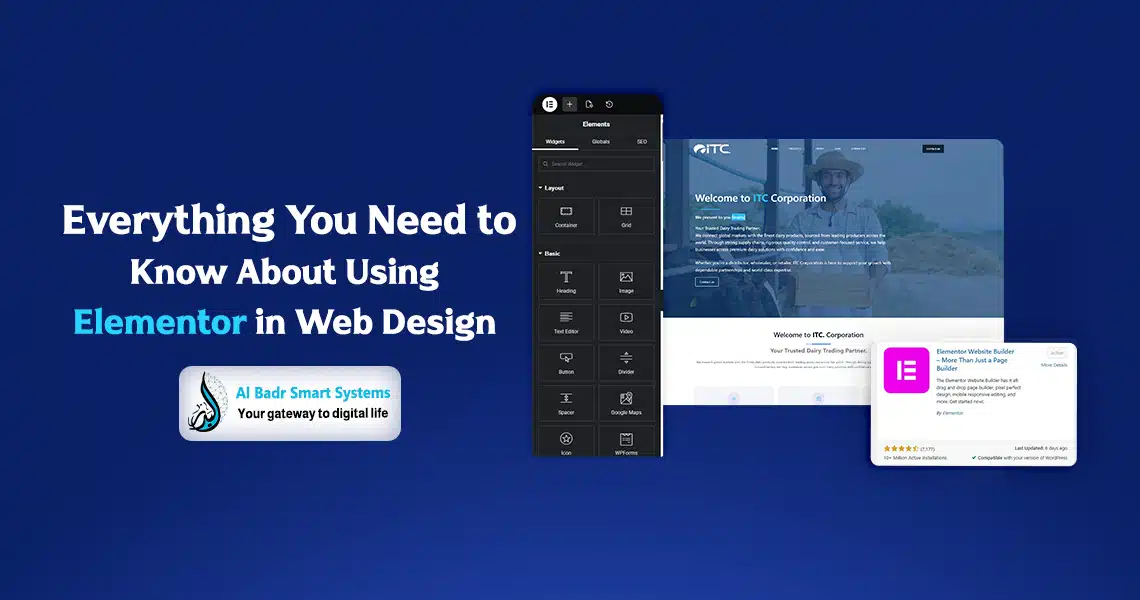
The genius of Elementor lies in its ability to bridge the gap between imagination and execution. What sets it apart as a top page-building tool is Live Editing you can see your changes happening in real-time on your site. No more guessing or constantly switching between the dashboard and the front-end to preview your work.
On top of that, Elementor offers endless flexibility to control every pixel on the page. Whether you’re building a simple blog, a complex e-commerce store, or an eye-catching landing page, this tool provides the building blocks to create exactly what you want. It’s not just a WordPress plugin, it’s a complete ecosystem for professional web design that rivals top development companies.
What is Elementor? Overview and Uses
Simply put, Elementor is a WordPress plugin classified as a Drag-and-Drop Page Builder. Launched in 2016, it has since earned the trust of millions of users worldwide.
It acts as a graphical interface over your WordPress theme, letting you drag and drop elements such as images, text, buttons, and forms anywhere on the page.
WordPress page builder isn’t limited to article content, it also allows you to design the header, footer, archive pages, and even 404 error pages. With Elementor Pro, you gain full control over your site structure through the Theme Builder, making it an all-in-one solution for web design from start to finish.
Benefits of Using Elementor for Page Design
Choosing page builder for your website gives you a range of advantages that make page building both enjoyable and efficient:
- Speed and Ease: Build a full page in under an hour using pre-designed templates.
- Responsive Design: Customize your site for mobile, tablet, and desktop with just a click, ensuring an optimal user experience.
- Extensive Template Library: Access hundreds of ready-made templates for various industries, restaurants, real estate, healthcare, tech and import and edit them instantly.
- Widget System: Elementor offers over 90 ready-to-use elements, from Google Maps to countdown timers and contact forms.
- SEO-Friendly: The drag-and-drop editor generates clean, organized code that helps search engines index your website efficiently.
How to Set Up and Install Elementor
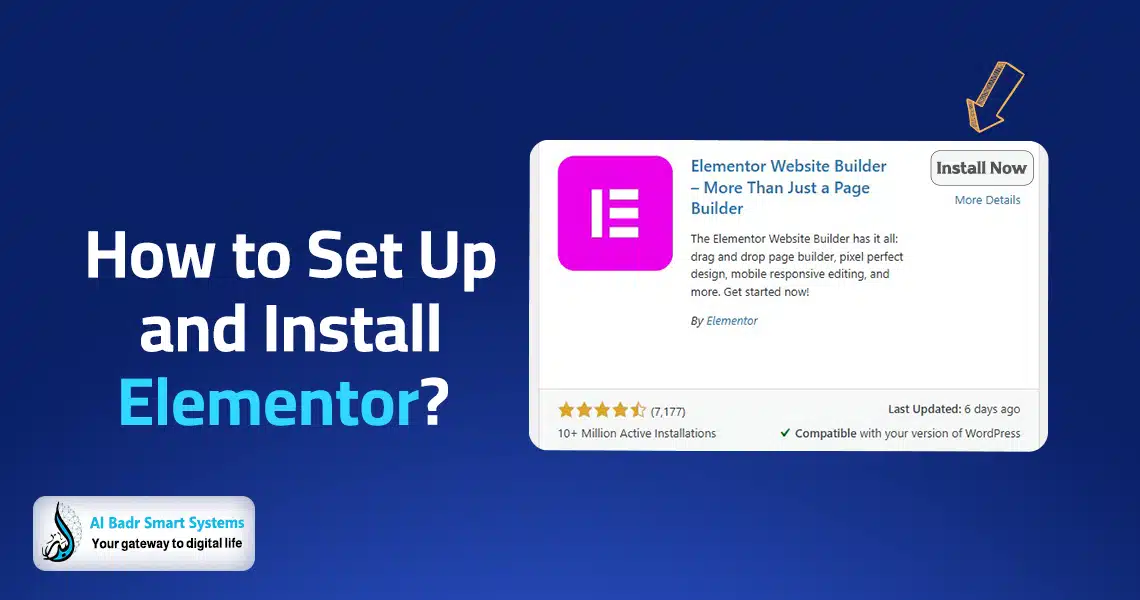
Installing Elementor is straightforward and similar to any other WordPress plugin, but for optimal website performance, follow these steps:
- Basic Installation: From your WordPress dashboard, go to Plugins > Add New, search for “Elementor,” click Install, and then Activate.
- Initial Setup: The system will prompt you to configure some preferences, such as which post types you want to enable the plugin for. It is recommended to activate it primarily on pages.
- Theme Preparation: While Elementor works with any theme, we recommend lightweight themes like Hello Elementor or Astra to ensure the fastest loading speeds.
Speed is crucial for any website today, and using a heavy theme with a page builder may slow down your site.
Designing with the Drag-and-Drop Editor
Once you launch the Elementor editor, the interface provides full control over your page design. Here is how to get started:
- Sections and Columns: Think of your page as a building with floors (sections) and rooms (columns). Start by adding a section and then divide it into columns (one, two, or more).
- Drag and Drop: From the sidebar, select the element you want, such as a Heading or Text Editor, and drag it into the column.
- Three Control Tabs for Each Element:
- Content: Add text, links, or images.
- Style: Customize colors, fonts, backgrounds, and shadows.
- Advanced: Control margins, animations, and custom CSS for advanced customization.
- Global Styles: Set site-wide colors and fonts from one place. Changing your brand color updates it across the entire website instantly.
Enhancing User Experience with template builder
User experience is the core of any successful website, and Elementor contributes by providing:
- Easy Navigation: Build smart sticky headers that remain visible while scrolling.
- Visual Clarity: Create information hierarchy using different font sizes and balanced visual blocks.
- Interaction Speed: Use well-designed call-to-action buttons to encourage engagement and improve conversion rates.
At Badr Smart Systems, we ensure visitors find what they are looking for within three seconds, which is the global benchmark for digital success today.
Best Elementor Addons for Page Building
The core plugin is powerful, but additional addons enhance its capabilities:
- Essential Addons: Offers extra elements like advanced tables and post grids.
- Ultimate Addons: Focuses on aesthetics and speed, providing professional design elements.
- ElementPack: A large library with hundreds of widgets not available in the free version.
- Crocoblock (JetPlugins): A premium toolkit for building complex dynamic websites, such as booking platforms or classifieds, entirely with Elementor.
At Badr Smart Systems, we carefully select addons to avoid overloading your site with unnecessary code.
Tips for Designing Professional Page Using Elementor
To ensure your website looks professional and not amateurish, follow these best practices:
- Consistency in Fonts and Colors: Use no more than two font types and three primary colors. Consistency is key to professional design.
- Use of White Space: Avoid filling every corner of the page with elements. White space allows the user’s eye to rest and highlights important content.
- Optimize Images: Compress and reduce image sizes before uploading. Heavy images are the main enemy of site speed.
- Avoid Excessive Animations: Entrance animations are great, but overusing them can make the site feel slow and annoying.
- Copy and Paste Style: Save time by copying an element’s style and applying it to another element with a single click.
FAQ About Elementor
Is the free version of Elementor enough?
Yes, the free version is very powerful and allows you to design basic websites professionally. However, the Pro version is necessary if you want to build an online store, control headers and footers, or use advanced forms.
Does Elementor affect site speed?
This is a common question. The drag-and-drop editor itself is fast, but excessive use of external plugins, unoptimized images, and poor hosting are the real causes of slow performance. When used correctly, Elementor can deliver a very fast website.
Do I need to know coding to use Elementor?
Not at all. That is the beauty of Elementor—it is designed for users without coding knowledge. That said, knowing a bit of CSS can give you extra power to customize your site even further if desired.
Is Elementor compatible with all themes?
Yes, Elementor works with 99% of modern WordPress themes. However, it is always recommended to use flexible, lightweight themes for the best page-building experience.
Badr Smart Systems: Elementor Web Design Experts
At Badr Smart Systems, we believe your website is a major factor in your success. We do more than just install Elementor; we provide:
- Unique User Experience Design: We build your site based on a study of your target audience to ensure maximum conversion rates.
- Custom Development: We combine the power of Elementor with custom coding when necessary to create unique features not available in standard plugins.
- Speed and Performance Optimization: Using advanced caching and file compression techniques, we ensure your website loads instantly.
- Ongoing Support and Development: From dragging your first element to launching your site and ranking it on search engines, we are with you every step.
Whether you need a company portfolio site or a complex content management system, our Elementor expertise makes us your ideal technical partner.
Benefits of Using Elementor for Your Digital Future
Using Elementor in web design is not just a passing trend; it is a revolutionary way to build the web. It empowers individuals and small businesses to compete with the elegance and professionalism that previously required huge budgets.
With Elementor’s easy page building and unlimited flexibility, creating a world-class website is now accessible to everyone. Start your journey with the drag-and-drop editor today and remember that creativity has no limits when the right tool is in your hands.
